Send Messages

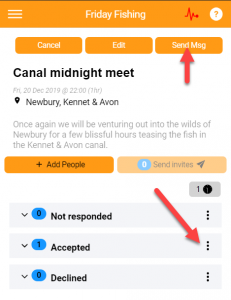
You can send messages to event participants in a number of ways:
- Resend their invites/ticketing confirmation
- Send them reminders about an event
- Send all invitees a message about the event
- Send a particular person a message
Resending invite/tickets
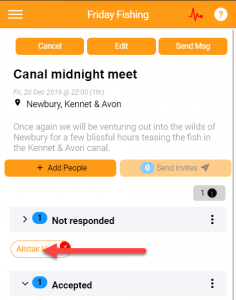
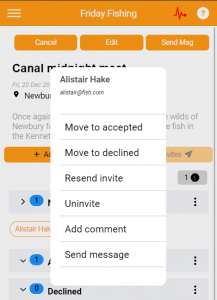
In order to do this, ‘open’ the ‘Not responded’ list, and click on the person in question, a menu will appear, enabling you to resend their invite or ticket details. The picture below shows an invitation event, so the option is available to resend their invite.
Sending a message to participants
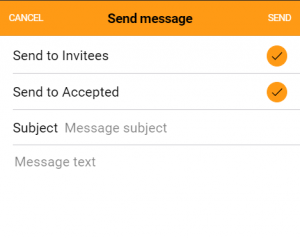
In order to send a message to all participcants, click the “Send Msg” button. To send to a single person, open the relevant list and click on their name. You will be able to send a message from there. The picture below shows the send to all screen, where you can select which type of participant that you wish to send the message to.